Evmux might be the new kid on the block but that didn’t stop it from ranking very highly in our Best Live Streaming Software For Windows & Mac 2022 roundups.
It has a ton of great features including multistreaming, ISO video recording, hosting multiple guests and a dedicated green room for speakers.
You can go live on Facebook, YouTube, Twitch, LinkedIn and even TikTok (with a slight manual workaround).
Evmux isn’t just great for live streaming, but also for creating quality content that can be reused and repurposed for other platforms.
It rivals some of the other top livestreaming platforms right now like StreamYard, OBS Studio and Ecamm Live.
In this complete review, we’ll run through the top features & downsides of Evmux. You’ll learn why we think it might just be the best live streaming app right now!
Here’s what we’ll cover:
Let’s dive in.
Top Evmux Features
The feature list for this live streaming platform goes on and on. We’ll start from when you first sign in.
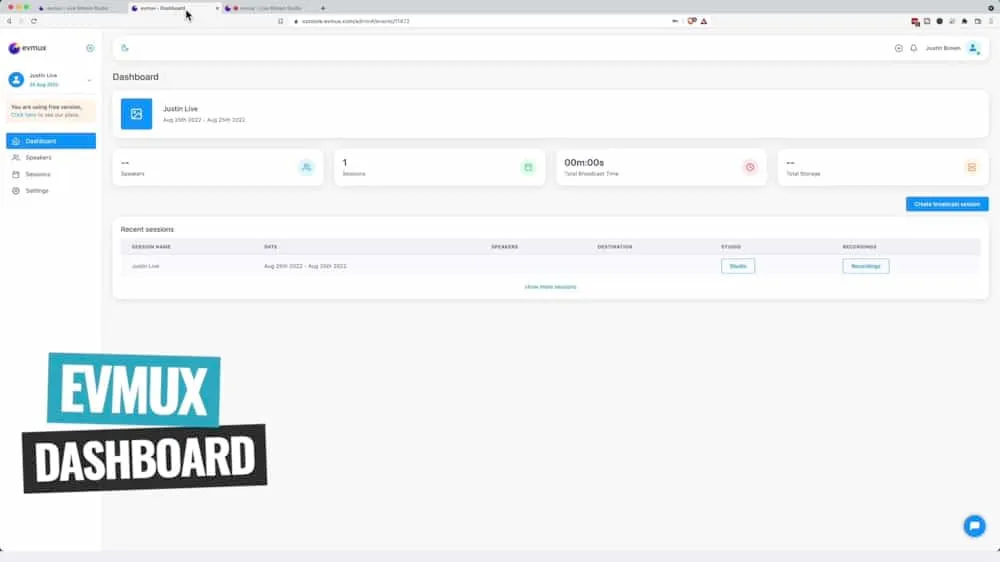
Evmux Dashboard
When you log into Evmux, you’ll be taken to the dashboard area.
This is where you can:
- See all of your previous streams
- Reuse previous streams as templates or presets for future live streams
- Set up new and upcoming streams
- Set up profiles for guests you’ll be bringing into your lives
- Schedule live streams
We really like how this dashboard looks and works. There are great functionalities in here and it’s really easy to use.
Setting Up Live Streams In Evmux
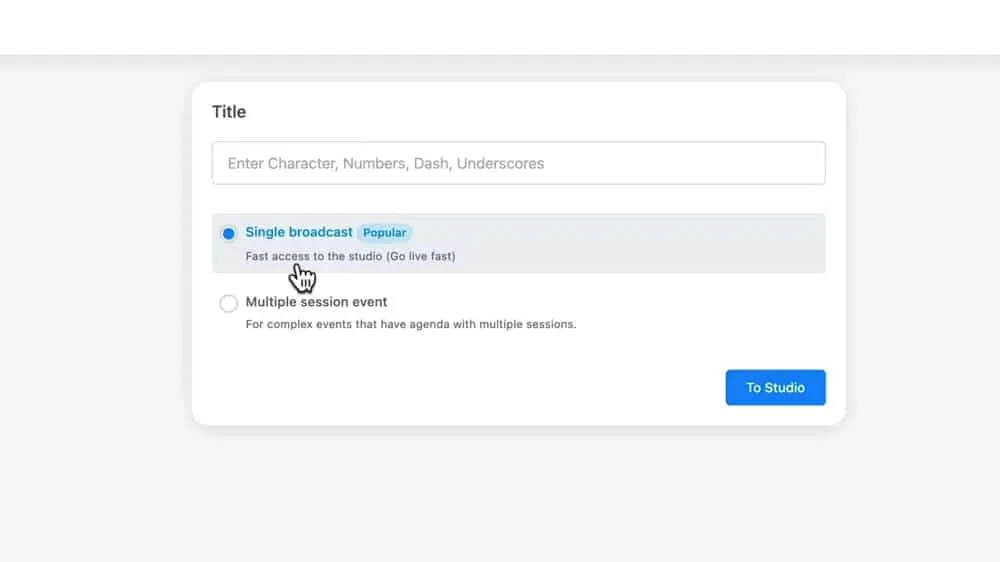
When you’re setting up a live stream you have the option to choose from a single broadcast or a multiple session event.
You can set up and duplicate a single broadcast but the multi-session event is a great option for a weekly show, daily live stream or even if you’re doing something like a live launch.
It’s awesome that there’s a dedicated option to help you streamline that process.
Dynamic Scenes In Evmux
Just like in StreamYard, there are built-in themes and templates you can use for any titles and comments that appear in your live stream.
But Evmux takes this one step further and gives you access to some built-in animated titles that you can use in your streams as well.
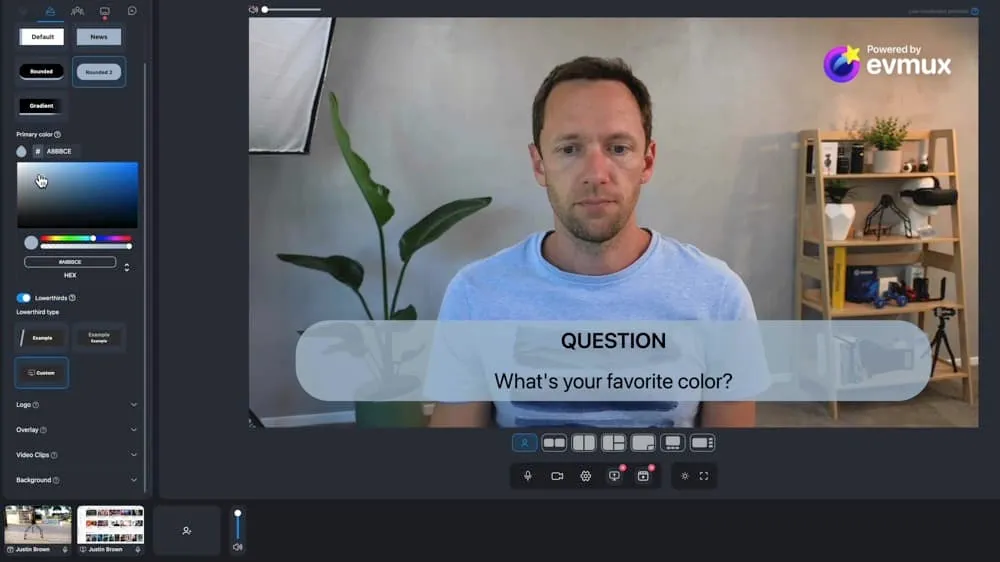
They’re fully customizable and they update in real time.
This means you can quickly add in an animated lower third using one of the presets, customize it up and then apply that customization across all the scenes in your project.
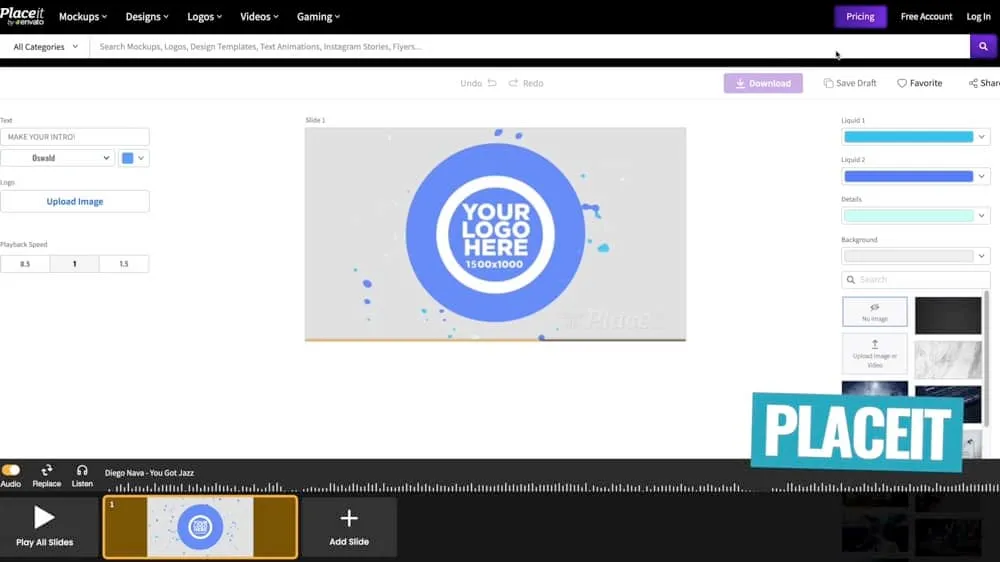
PRO TIP: If you want access to a greater range of templates, check out Placeit. It has a massive library of full customizable graphics, titles and animations that can be uploaded straight into Evmux.
Not only does Evmux have animated, customizable titles but you can also add in animated ‘stings’ or transitions between your scenes. This is another great feature that allows you to build out an awesome live stream.
You might have noticed that we’re saying ‘customized’ a lot… But that really is one of the big super powers of Evmux. Everything is just so customizable!
Pro Scenes in Evmux
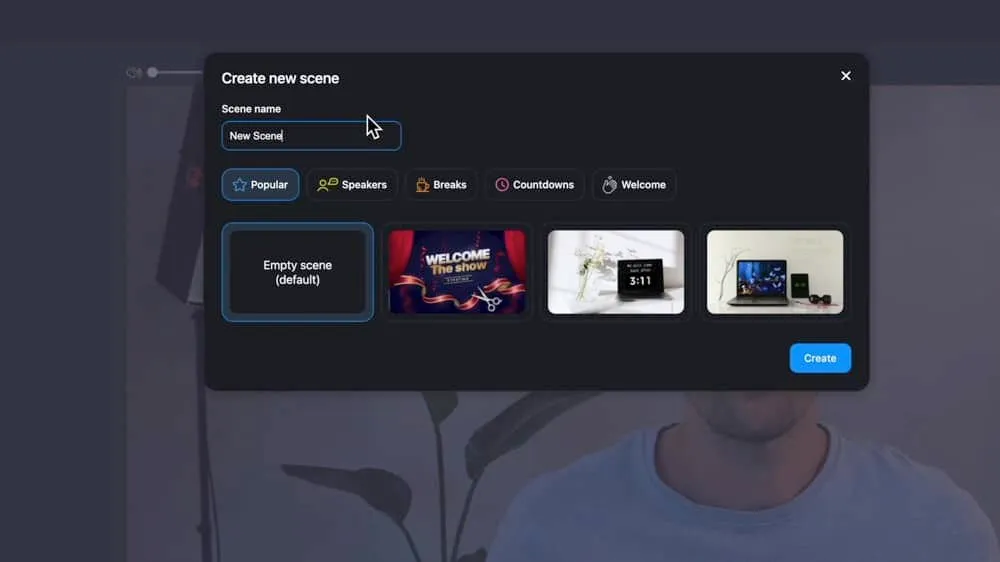
While the Dynamic Scenes are great for things like a 50/50 screen split, picture in picture, screen share, etc., if you want next level customization you can enable Pro Scenes.
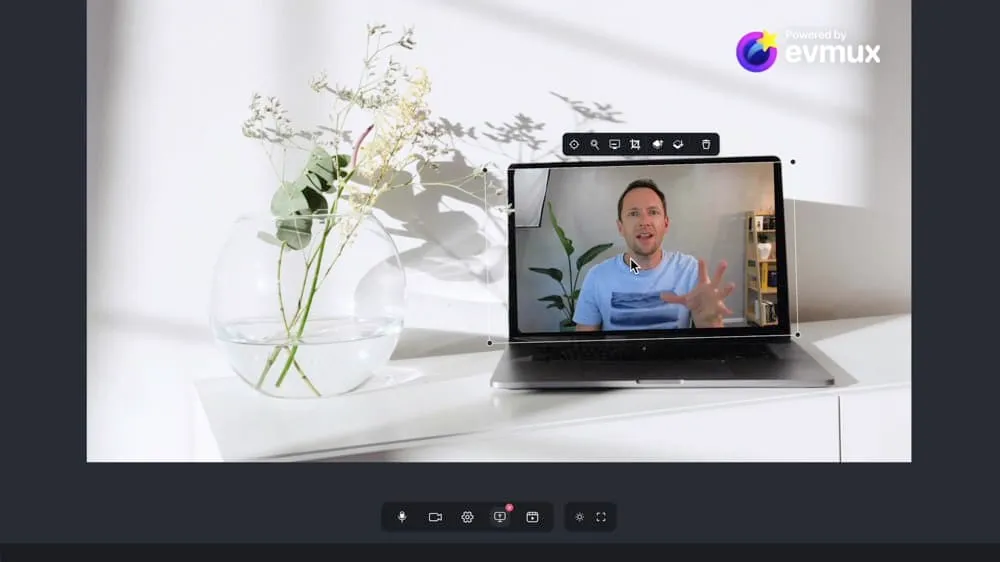
Pro Scenes give you the ability to really dial everything in. You can easily create your own custom scenes with a mix of webcams, videos, overlays, graphics, and animated backgrounds.
You can even crop and scale all of these elements (including your webcam/video footage) to really customize the look and feel of your live streams.
If you ask us, this is a standout feature. There aren’t too many other options out there that give you this level of customization. Especially ones that run in your web browser!
It’s also done in a way that is incredibly easy to use and intuitive. You’re not going to be fumbling through a bunch of menus to try and find the thing you want. It’s literally just drag and drop.
Other Awesome Evmux Features
ISO Recording
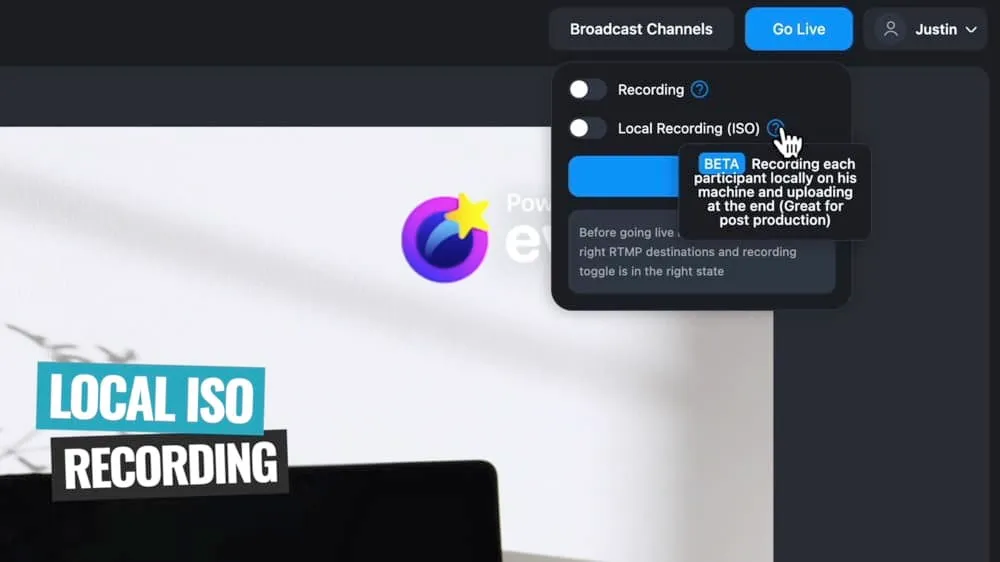
Not only do you have the ability to record your live event from the cloud and download a version of that. But you can also enable local ISO recording (or isolated recording).
This is where Evmux records your cameras and webcams as well as the cameras and webcams of any guests, locally to that person’s computer.
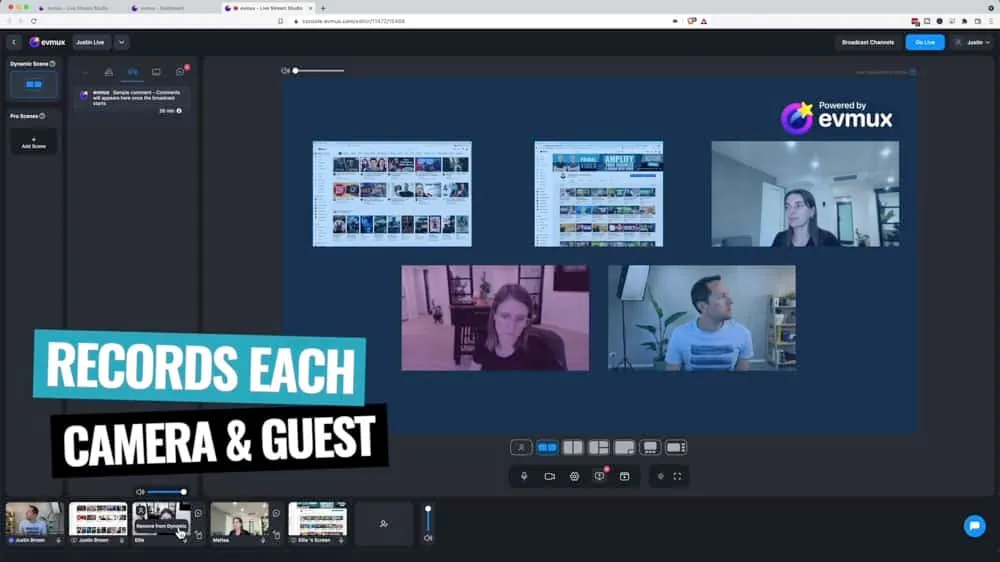
At the end of the stream, it will upload them all to Evmux where you can download a high quality recording from each of the cameras that you had in your live stream.
This means you have a much higher quality version of your live that you can edit and repurpose for other platforms.
Regardless of whether you’re actually going live or not, you could use this functionality inside Evmux to record high quality interviews and podcasts.
Dedicated Guest Green Room
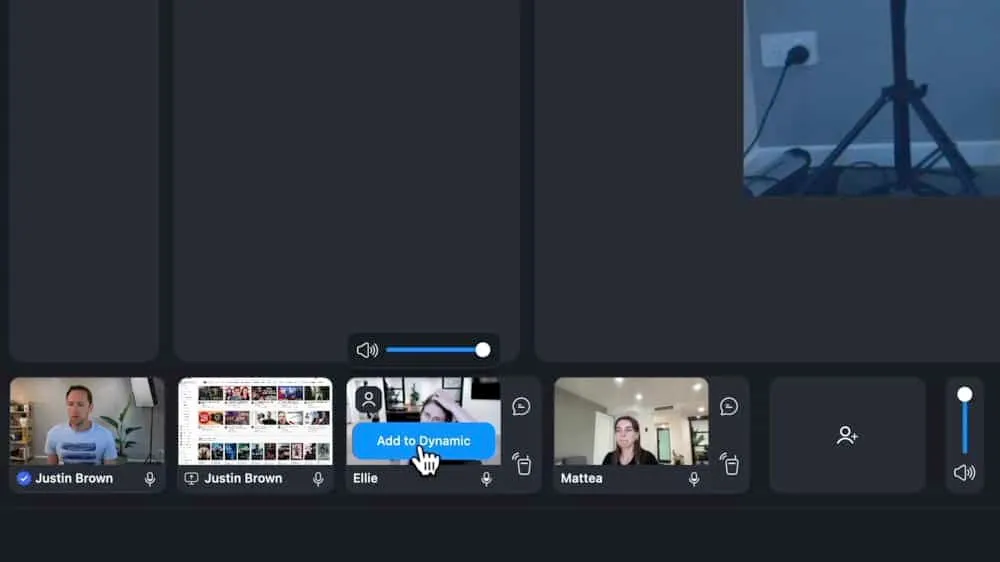
If you’re bringing guests into your livestream, they can wait in a dedicated green room before entering your live stream.
This means they can connect with other guests that are backstage too, instead of just sitting there waiting to come on.
This is an awesome feature that a lot of the other tools don’t have.
More Noteworthy Features
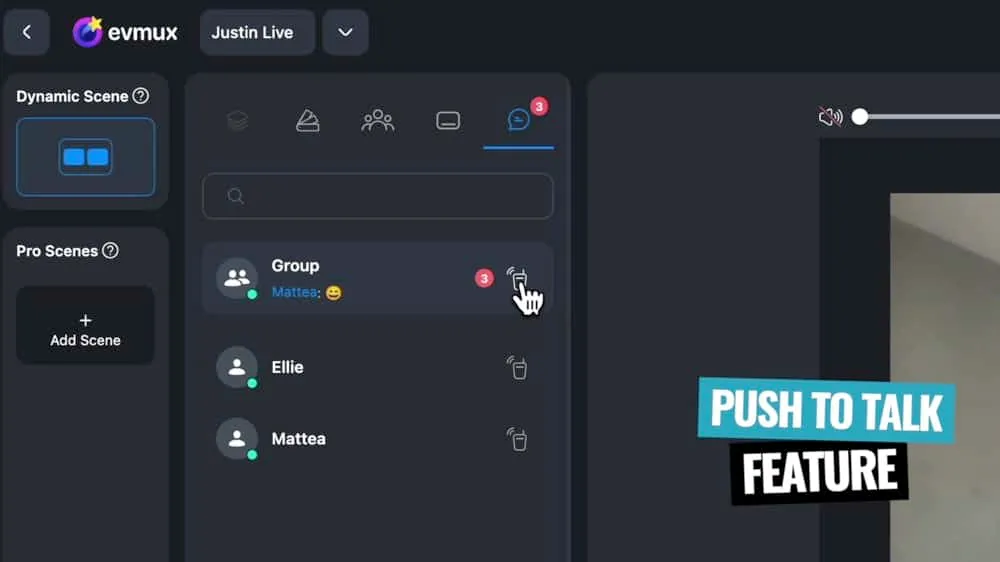
- Push To Talk: Not only can you privately communicate with guests via individual chat and group chat, but also using a built-in push to talk feature (this push is something you’d normally only see in professional grade software)
- Keyboard Shortcuts: This allows you to easily switch between different scenes while you’re live but you can also connect things like the Elgato Stream Deck to program up your stream
- Co-Hosts: You can have co-hosts or even invite your team to help you manage and run your livestreams
The Downsides
Like everything, there are a couple of downsides. But these definitely aren’t deal breakers. And they could even be fixed very soon because Evmux are rolling out new features FAST.
They’re actively listening to the community, looking at what’s worked and what hasn’t worked. They’re building out this tool with the community and usability in mind.
No Phone Support
Since web-based platforms work on your internet browser, you can usually easily use them on your mobile device. But so far in all our testing, we haven’t been able to log into Evmux on a smartphone.
On the plus side, you can join as a guest using your smartphone. This is handy not just for your guests to join, but also if you want to use your iPhone or Android as a second camera angle in your stream.
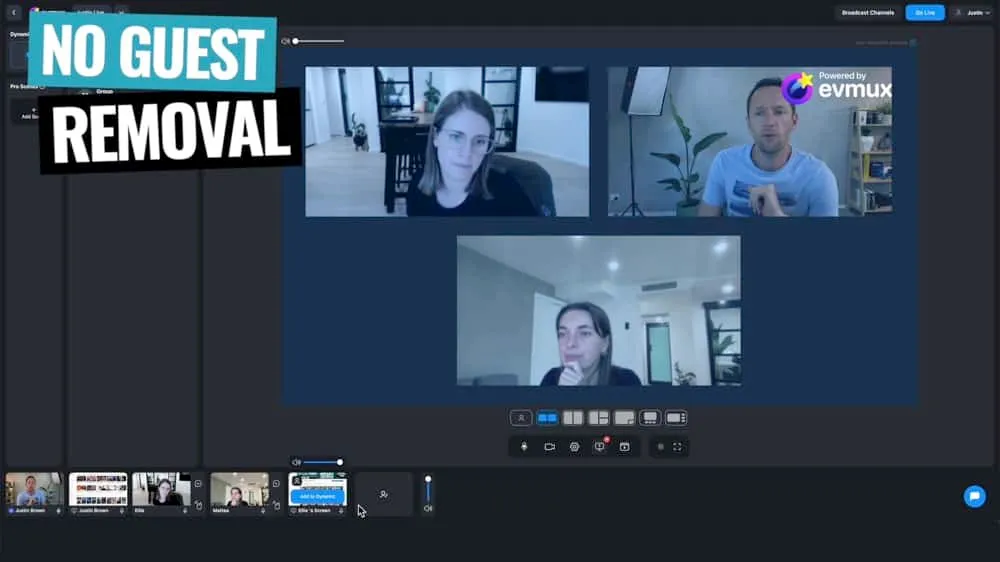
No Guest Removal
You can bring someone into your livestream as a guest and you can kick them back to the green room, but there doesn’t seem to be a way to completely remove them from the stream AND the green room.
This is something pretty minor. But say you accidentally leaked the link for people to join your stream and had random people entering your green room. There’d be no way to kick them out.
Evmux Pricing
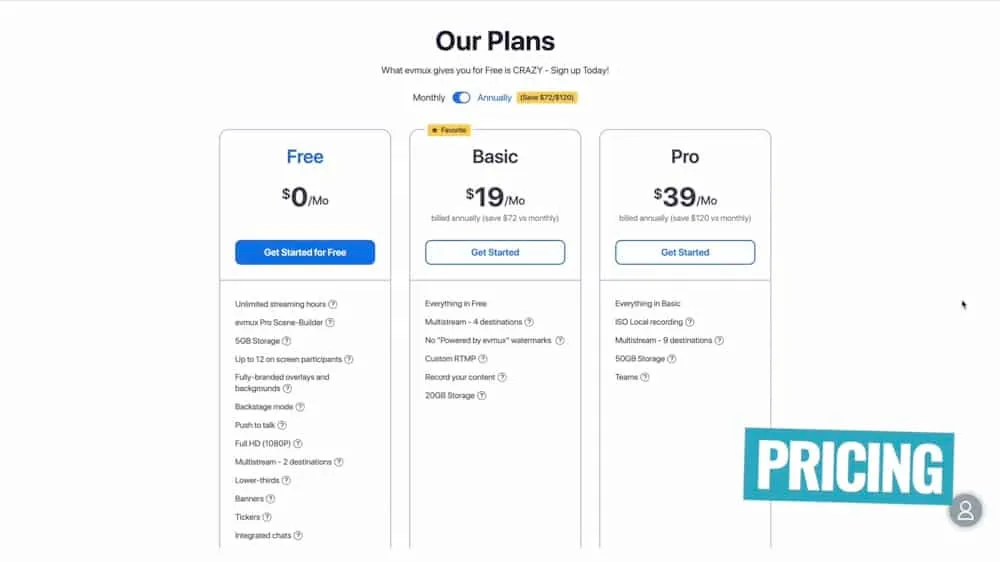
There are three pricing options:
- Free: Gives you access to a ton of features, but it does have the Evmux watermark on it
- Basic ($19/month): Removes watermark and increases the number of multistream destinations from two to four
- Pro ($39/month): Removes watermark, increases the number of multistream destinations to nine, unlocks ISO recording and teams
Overall, this is ridiculously cheap given how many features you get access to.
Is Evmux The Best Live Streaming Software Right Now?
It’s definitely a top contender! Evmux is without a doubt one of our favorite live streaming apps right now.
It has a great mix of simple, easy to use tools with an insane amount of customization for those people who want it.
If you just want super simple live streams using some default templates without needing to customize everything up - it ticks that box.
Equally if you want to use advanced tools to completely tailor up your scenes - Evmux has those features for you as well. It’s such a great all rounder.
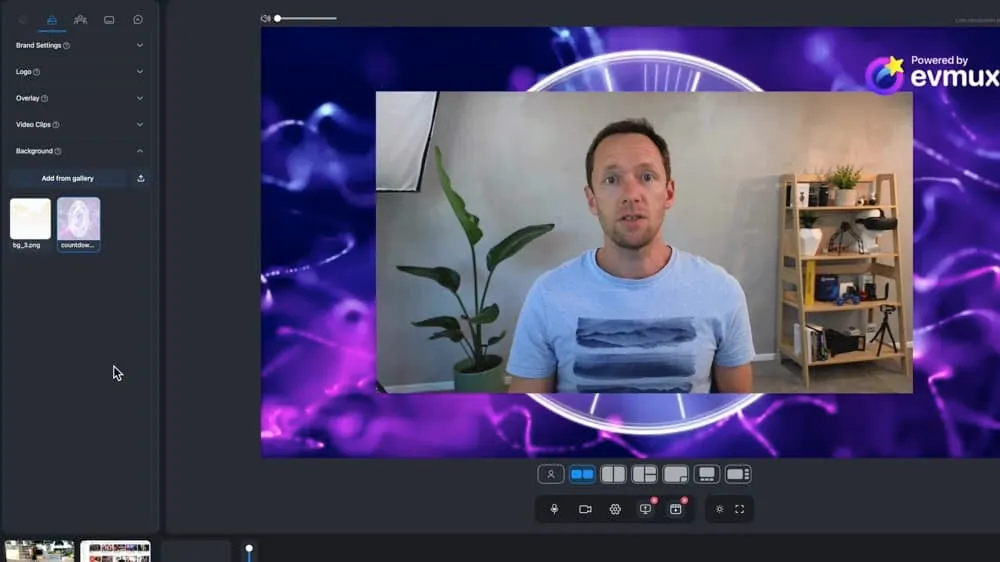
Plus the fact that it runs in your web browser so you can use it on Mac and PC really does make it a very compelling offering.
With the rate they’re pumping out new features, we’re pumped to see where Evmux is in the next six to twelve months too!
Now that you’ve got the rundown on this awesome livestreaming app, learn how to live stream with Evmux in our complete tutorial.
If you want to see how Evmux stacks up against the other top livestreaming software right now, check out our 2022 roundup of the Best Live Streaming Software for Mac and PC.