A good YouTube channel trailer converts your viewers into subscribers. It’s a vital part of optimizing your channel and a great opportunity to tell non-subscribers what you’re all about.
Your channel trailer should let potential subscribers know that they’re in the right place. This is your chance to sell them on why they don’t want to miss a single one of your YouTube videos!
In this YouTube channel trailer tutorial, we’ll cover exactly what you should include in your trailer.
Then, we’ll take you step-by-step through a simple YouTube channel trailer template that you can follow to quickly create an optimized YouTube intro video for your channel.
You’ll learn how to make a channel trailer on YouTube that has viewers jumping to hit that subscribe button!
Here’s exactly what we’ll cover:
- What to Include in Your YouTube Channel Trailer
- Ideal Length for a YouTube Channel Trailer
- The Ultimate YouTube Channel Trailer Template
- Should Your Channel Trailer be Public or Unlisted?
- Our YouTube Channel Trailer PRO TIP
Let’s get started.
What to Include in Your YouTube Channel Trailer
Creating your YouTube channel trailer doesn’t need to be complicated or overwhelming. By making sure you’ve included these key points, you’ll be on the road to success!
So, what should you include in your trailer?
- What your channel is about - why you created the channel and what you’ll cover
- Who you are - your background, experience, credibility, some personality
- Who your content is for - who should hit the subscribe button?
- What viewers will get by subscribing - what content you’ll release and how often
- Examples - give some examples of the content that you’re making and why it matters
- Be yourself - if you show your viewers who you are and what you’re about, they’re more likely to connect, engage, and subscribe
Next, let’s talk about the optimal length of a channel trailer.
Ideal Length for a YouTube Channel Trailer
Keep it short and sharp! Your channel trailer doesn’t need to be complex or lengthy. The best trailers are usually succinct and to the point.
Your channel trailer should be 2 to 3 minutes at the most. If you can do it all in 1 to 2 minutes - even better. But definitely try not to drag it out any longer than 3 minutes.
YouTube Channel Trailer Template
By following this simple template you will maximize your results and ensure that you don’t miss any critical elements in your channel trailer.
So, here’s our recommended YouTube channel trailer template:
Welcome Viewers to Your YouTube Channel
The first thing you want to do is to welcome your viewers to your channel. They’ve taken the time to visit your channel so make sure they feel welcomed!
Introduce your YouTube Channel
Tell viewers about the topic of your channel. Explain who it’s for and why you created it.
You should do this before you start talking about yourself. Let your viewers decide if the topic is something they’re interested in before you tell them about how awesome you are.
Introduce Yourself to Your Viewers
Now that you’ve covered your channel topic, it’s time to discuss YOU. This is where you can talk about your background, skills, experiences, and credibility.
Talk about your story. Tell people why they should listen to you.
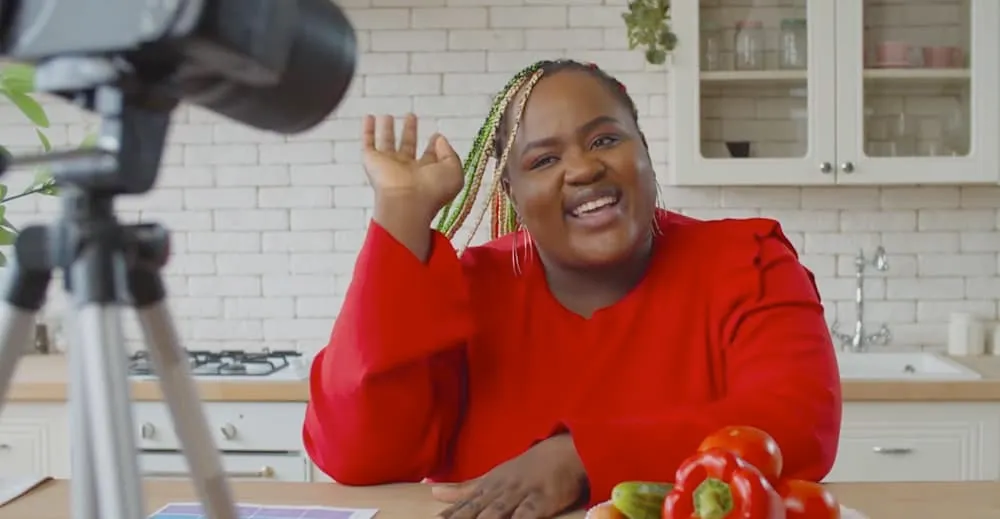
Tell your viewers what type of content you’ll be releasing and how frequently, so they know what they’ll get out of hitting that subscribe button
Tell Viewers Why They Should Subscribe to Your Channel
What will people get from subscribing to your channel? Include some examples of the types of content that you’re releasing, how often videos are going to come out, and really just why they should subscribe to your channel.
Remind Viewers to Subscribe to Your Channel
This one might sound a bit obvious, but it’s incredibly effective! Make sure you give the viewer a call to action.
If they like the sound of everything you’ve described in your awesome channel trailer, remind them to hit the subscribe button so they don’t miss your future content.
As silly as this step may sound, just reminding them to actually hit the subscribe button is a huge way to increase subscribers.
You can also mention for viewers to hit the notification bell so that they don’t miss any updates, but that one’s up to you!

Reminding viewers to hit the subscribe button is a simple & effective way to increase your subscribers
And that’s everything you need to include in your channel trailer! Now that you’ve got the content sorted, let’s talk about some tips related to uploading.
Should Your Channel Trailer be Public or Unlisted?
When you upload a YouTube video, you can choose to make it a public video or an unlisted video. But which one should you choose for your channel trailer?
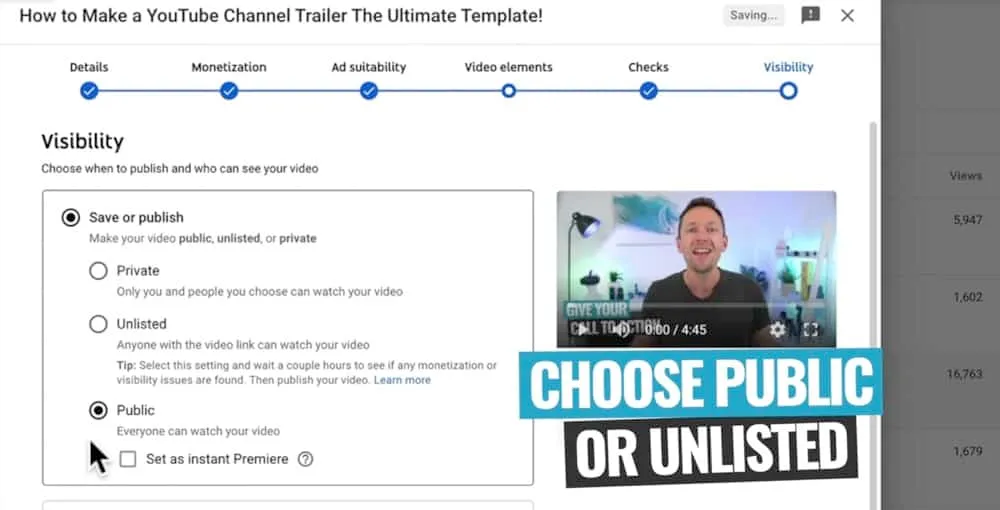
You can decide whether you want your channel trailer to be publicly visible or unlisted
If you want your channel trailer to be visible on your page amongst all of the other videos on your channel, then leave it as public. If you want your channel trailer to be visible only to people who aren’t subscribed to you, then leave it as unlisted.
This one is personal preference so just pick the option that works best for your channel.
Our YouTube Channel Trailer Pro Tip
Make sure you use the title field and the description box of your YouTube channel trailer. You don’t need to worry about optimizing for SEO or mastering the perfect title here. Just tell your viewers about your channel and encourage them to subscribe.
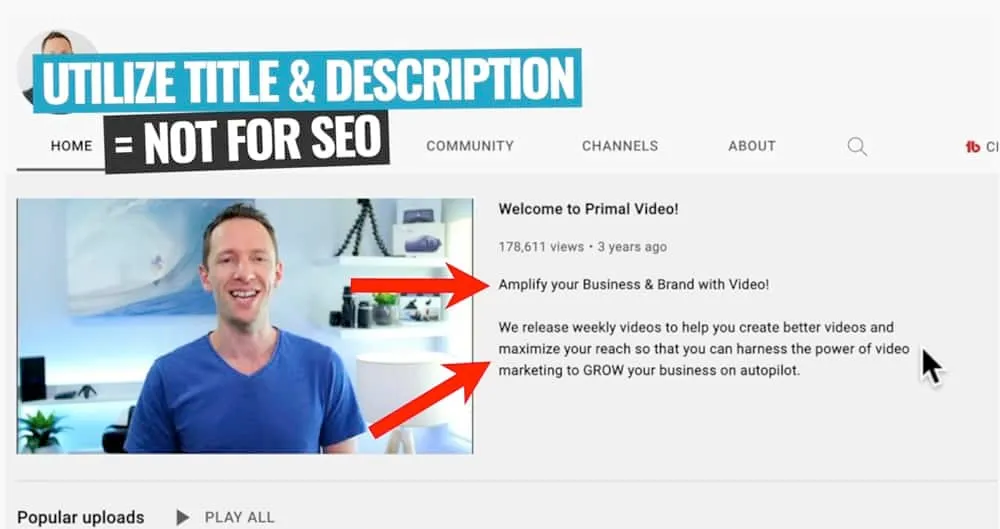
Include a title and description for your channel trailer to further tell people what your channel is about
Now you Know How to Make a Channel Trailer for YouTube
There you have it, our step-by-step guide to creating a YouTube intro video that will turn viewers into subscribers.
By covering the key topics and sticking to our recommended template, you’ll be able to create a channel trailer that gives your viewers all the info they need to hit that subscribe button.
Now that you’ve created an awesome channel trailer, if you want to learn how to level up on your keyword research then check out our FREE YouTube Ranking Guide. In this guide, we cover the 3 most powerful tools and ranking strategies to increase your YouTube traffic by 10x!