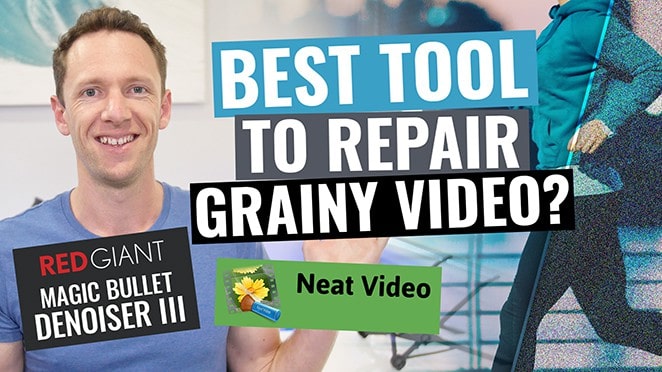
How To Fix Video Noise: Remove Grain With This NEAT Plugin!

We’ve all seen plenty of videos full of grainy footage or visible noise. It’s incredibly common, especially when filming in low light or using a lower budget camera with a smaller sensor. Unless it’s the effect you’re going for, noisy footage will *at-best* lower the quality of your videos, but *at worst* it could render your footage completely unusable.


Links

When available, we use affiliate links and may earn a commission!

Download the Free PDF Guide ➡ The ULTIMATE Video Editing Process!


How To Fix Video Noise: Remove Grain With This NEAT Plugin!

You’ll also frequently get noise when dealing with footage shot on older cameras, or recorded from non-digital sources, like analog TV or VHS. In fact, “grain” or “noise” is typically an effect film producers add to footage to make it LOOK older!

There ARE a number of free options to “reduce” video noise. I’ve played with a LOT of them but none achieve anything close to a professional result. The best solution I’ve found is a professional grade plugin that costs just $80US.

That plugin is called Neat Video. It’s used by a huge number of professional editors, and works with all major professional editing software (including Premiere, FinalCut & Avid).

I use it ALL the time to polish up noisy footage for my clients. I honestly can’t count the number of times Neat Video has almost completely fixed footage that I thought was completely unusable… It’s incredibly simple to use and the results are fantastic! In this video we’ll take you through exactly how to use it.

If you found this tip helpful we’d really appreciate a thumbsup, and make sure to hit that subscribe button for more. If you’ve got any questions, throw them in the comments! Most of the topics we cover are requested by you guys – so yours could be the next video 🙂

If you found this video helpful, we’d really appreciate a comment or share. Make sure to subscribe to get our weekly updates!

**********

GEAR WE USE

Check out all the gear we use and recommend at Primal Video!

**********

Related Content

▶️ How To Edit Video (The Most Efficient Process!)

▶️ Removing Wind Noise in Videos.

▶️ Best Lavalier Microphone for iPhone/Android AND DSLR – Under $50!

Share this...

Save this post for later?

Hit the button below and we'll send you this post for later, plus subscribe you to our awesome (free!) Primal Video Insider updates!

Table of Contents
Stuck on something?

Ask JustinAI✨

Trained on all our latest tutorials, workflows, and the full Accelerator archive. Get the answer in seconds, not hours.

Save this post for later?

Hit the button and we'll send you this post for later, plus subscribe you to our awesome (free!) Primal Video Insider updates!

Hit the button below and we’ll send you this post for later, plus subscribe you to our awesome (free!) Primal Video Insider updates!


More from Primal Video...

Microsoft Clipchamp Tutorial for Beginners (The COMPLETE Guide)

If editing videos in complicated software leaves you scratching your head, Clipchamp is a no-brainer video editor for beginners. This ...
View →
video editing for beginners on mac

The Complete Beginner’s Guide to Video Editing on Mac

Without a doubt, video editing is often one of the most daunting parts of the video creation process for many ...
View →
YouTube Shorts: The Complete Guide (UPDATED 2022!)

YouTube Shorts: The Complete Guide (UPDATED 2022!)

Today we’re going to show you exactly how to make YouTube Shorts.  Shorts are YouTube’s answer to the super popular ...
View →
How to Film Yourself with a DSLR! - Digital camera

How to Film Yourself with a DSLR!

Learn how to Film yourself with a DSLR! We cover several ways to focus a DSLR on yourself so you ...
View →

How to Live Stream on YouTube (The COMPLETE 2025 Guide)

Looking to live stream on YouTube without getting tangled in confusing tutorials about bit rates, encoders, or complicated software? This ...
View →
How to Get a Blurred Background in Videos DSLR, Camera AND Smartphone Tutorial!

How to Get a Blurry Background in Videos: DSLR, Camera AND Smartphone Tutorial!

Learn how to get a blurry background in videos! Complete tutorial & tips to get a blurred background for your ...
View →

Best Online Community Platform? Top Reasons We Love Circle!

The best online community platform! Here’s our complete Circle.so review, including why we love this community management site, how it ...
View →
Adjusting Video Colors: Simple Color Correction In Screenflow - Public Relations

Adjusting Video Colors: Simple Color Correction In Screenflow

It’s common to see videos with sub-par colors and lighting. Here are some simple adjustments Screenflow users can make when ...
View →
Android Screen Mirroring To PC, Mac & TV - How To Screen Mirror Quick & Easy!

Android Screen Mirroring To PC, Mac & TV – How To Screen Mirror Quick & Easy!

Complete Android Screen Mirroring to PC, Mac & TV tutorial! Learn how to screen mirror using the top screen mirroring ...
View →
Don't miss a thing!

Become a Primal Video Insider to stay in the loop.

If you get my best Blue Steel impression now, just imagine what's waiting for you on the inside...

Become a Primal Video Insider and unlock:
We hate spam and promise to keep your email address safe.
Check out our Privacy Policy for more info!

If you get my best Blue Steel impression now, just imagine what's waiting for you on the inside...

Become a Primal Video Insider and unlock:
We hate spam and promise to keep your email address safe. Check out our Privacy Policy for more info!